
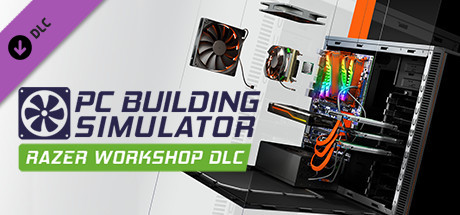
PC Building Simulator - Razer Workshop (PC) – Steam Global
0
-
Global
Choose your region to see if it works in your country
-
Digital code
Digital edition of the product (key or code)
Automatic delivery once payment is confirmed
Works on: Windows Check requirements
Description
Designed in collaboration with Razer, this new workshop for PC Building Simulator is a great alternate workspace for any Razer fan.

Once purchased, players can use this workshop in both Career and Free Build modes of the game and switch between available workshops whenever they feel like a change of scenery.
Features
- Brand new Razer themed design and aesthetic
- New open workshop layout
- Toast!
How to activate
Step-by-step guide for Steam
- Open Steam (the app or store.steampowered.com) and sign in to your account.
- Go to “Games” › “Activate a Product on Steam…” or use the “Activate on Steam” button on this page.
- Paste the key from your order ticket and accept the subscriber agreement.
- The game shows up in your library: you can download it now.
Your code appears in your order chat (My account › My tickets) and we email you.
This product works on accounts from any country.
System requirements
- OS *: Windows 7 or higher
- Processor: Intel Core i5-2500K or AMD Athlon X4 740 (or equivalent)
- Memory: 4 GB RAM
- Graphics: GeForce GTX 660 (2048 MB) or Radeon R9 285 (2048 MB) - Integrated GPUs may work but are not supported.
- DirectX: Version 9.0c
- Storage: 1 GB available space
- Sound Card: DirectX compatible
Details
- Platform
- Steam
- Region
- Global
- Delivery
- Digital code
- Developer
- Claudiu Kiss, The Irregular Corporation
- Publisher
- The Irregular Corporation
- Release date
- Apr 29, 2019
- Genres
- Indie, Simulation
- Features
- Single-player, Downloadable Content, Steam Achievements, Steam Trading Cards, Partial Controller Support, Steam Cloud, Family Sharing
Description, images, videos and requirements: the game’s official Steam page.
FAQ
What people ask us most about this product.
What is PC Building Simulator - Razer Workshop (PC) – Steam Global about?
What is this key for?
How do I get it and how long does it take?
What do I need to buy it?
- A WDigitalShop account with a verified email.
- A Steam account to redeem the code on.
Can I buy it as a gift?
How can I pay?
What if it doesn't work or doesn't arrive?
Have another question? Message us
Buyer reviews
No reviews yet. Only people who bought this product and already received it can leave a review.
All reviews come from buyers whose order was delivered. We don't delete negative reviews: we reply to them.
Before you buy
Everything you need to know about this product before paying.
Region and compatibility
- Global: it activates on accounts from any country.
- It activates on Steam.
- Works on: Windows.
Delivery
- In your order chat (My account › My tickets) and by email.
- Time: Instantly once payment is confirmed.
- If you pay by bank transfer: 15 to 20 minutes after you send the receipt, during support hours.
- If it takes more than 30 minutes after payment, the order moves to "Issue", we let you know and you can ask for a replacement or a refund.
Guarantee and refunds
- If it doesn't work or doesn't arrive, we replace it at no cost. If that's not possible, we refund what you paid as balance in your wallet.
- You claim in the order chat within 48 hours of delivery.
- No refund if the code was already redeemed, if your account is from another region, or if you change your mind.
- Read the refund policy